Resolve complex tax cases with clarity.
Keep IRS and state cases, representation documents, transcripts, deadlines, staff assignments and communication history connected.
TAXRES CRM / TAX OPERATIONS COMMAND CENTER
From IRS transcripts and representation cases to tax preparation and client follow-ups, run the work of your firm in one secure workspace.
02 / OFFICE OPERATIONS
From client records to active casework and daily priorities, keep your practice organized in one workspace.
Explore client management ↗Review client activity
Track case progress
Complete assigned tasks
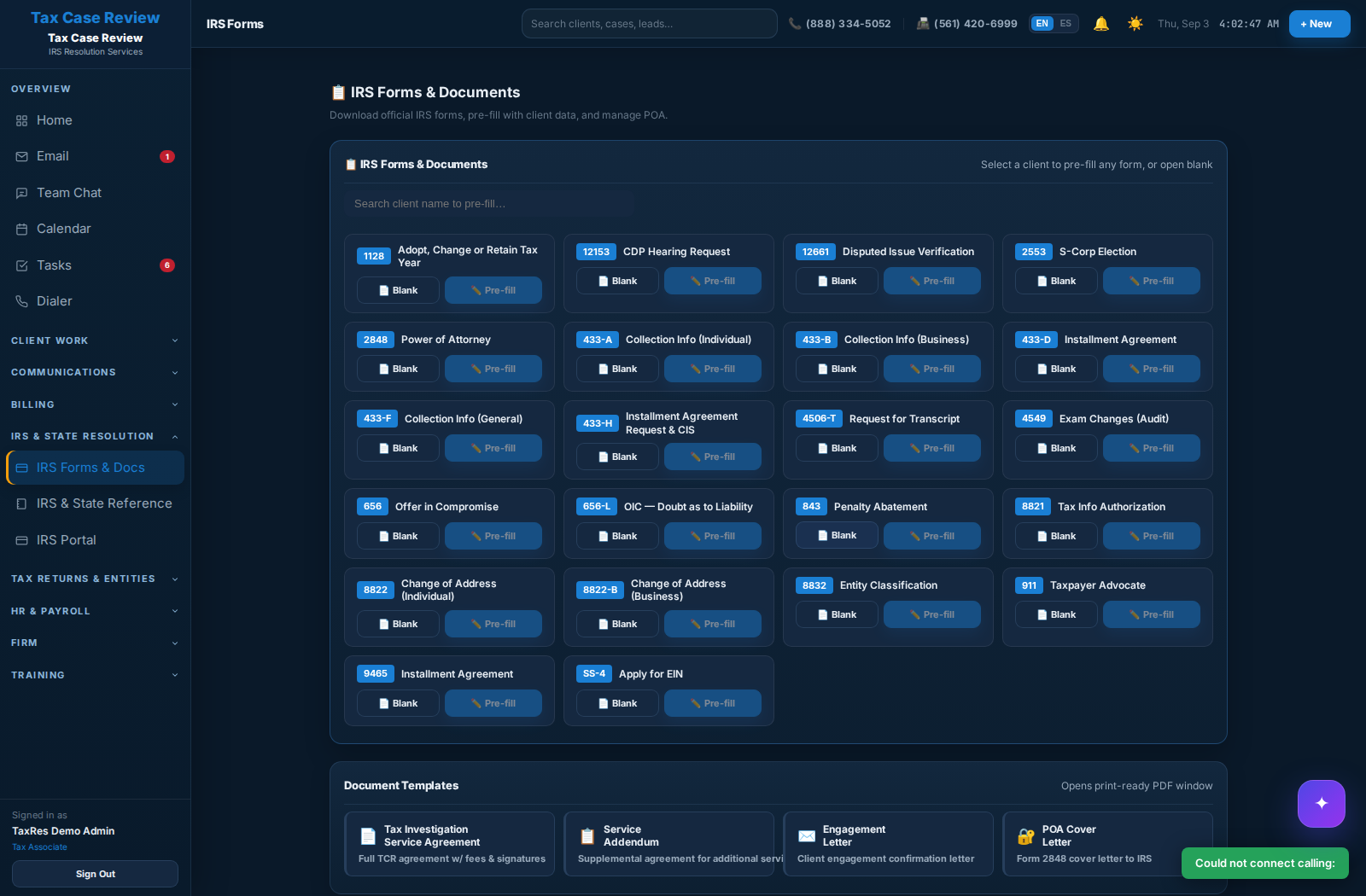
01 / IRS & STATE WORKFLOWS — REAL CRM SCREEN
Specialized IRS representation and everyday accounting practice management shouldn't mean disconnected client records.
Keep IRS and state cases, representation documents, transcripts, deadlines, staff assignments and communication history connected.
Bring client files, task ownership, document requests, scheduling, invoicing and team communication into a connected practice workspace.
What Firms Actually Need
From an urgent IRS deadline to a routine client follow-up, keep your team aligned in the same workspace—without losing context between systems.
Keep calls, appointments, follow-ups and sales activity attached to the same prospect record your team will later convert into a case.
Use resolution-focused stages, tasks, notes, deadlines, transcripts and document activity instead of rebuilding the workflow in a generic CRM.
Owners and managers can see workload, communication history and case movement without chasing updates through inboxes and spreadsheets.
Reduce the “who talked to them?” problem by keeping office communications tied to the actual client and case context.
Organize return-preparation intake, filing-related follow-ups, document requests, signatures, portal access and payments alongside every client relationship.
Role-based access, task ownership and shared office visibility help a growing firm operate consistently as more people touch each case.
Built for Tax Professionals
Whether your office prepares tax returns, coordinates filing, handles accounting clients or specializes in IRS representation, TaxRes keeps client communications, documents, tasks and office workflows connected.
Why Switch
Tax resolution offices commonly piece together CRM, phone, scheduler, e-signature, document storage and payments. The cost is not only the subscriptions — it is the handoffs between them.
Transparent Launch Pricing
Clear per-user pricing for smaller teams and tailored quotes for larger offices. Ask about annual billing and tailored team plans.
Core client and case workflows, communications, documents, scheduling and payment tracking.
See Starter →Expanded practice workflows, automation and visibility for offices managing tax returns, clients and resolution cases.
See Professional →Advanced permissions, multi-office administration, priority onboarding and higher-touch support.
Contact Sales →See the Real Workflow
We will walk through how a lead becomes a client, how the case is worked, how your staff communicates, how documents and signatures move, and how managers keep visibility. No generic slide deck.
Tax Resolution CRM FAQ
It is CRM and practice-management software organized around representation work: leads, clients, IRS cases, deadlines, transcripts, documents, communications, tasks, scheduling and billing in one operating system for the firm.
Enrolled agents, CPAs, tax preparers, accountants, tax attorneys, and firms handling tax preparation, filing coordination, client services, accounting operations, or IRS and state representation.
No. The sales pipeline is one part of the platform. TaxRes CRM also connects tax preparation client intake, filing coordination, documents, tasks, communications, IRS representation and office operations.
TaxRes CRM is designed to consolidate the core office workflow, including communications, documents, e-signatures and scheduling, so those activities remain connected to the client record.
Yes. The platform is designed around office users, role-based permissions and shared visibility rather than a single-practitioner-only workflow.